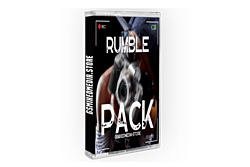
Camera Shake Presets for DaVinci Resolve (Rumble Pack)
Camera Shake Presets for DaVinci Resolve (Rumble Pack) — add realistic, professional-grade camera shake to your footage in seconds. Drag a preset onto your clip, dial in the intensity, and give any shot the handheld energy and movement of a real camera.
Perfect for music video editors and content creators who want to add impact, punch, and motion to static shots without keyframing camera movement by hand.
How it works
- Drag and drop the preset onto any clip in DaVinci Resolve
- Adjust the strength of the shake to match your scene
- No manual keyframing or Fusion setup required
Requirements
Works with DaVinci Resolve (free) and DaVinci Resolve Studio. Instant download — your Rumble Pack presets are delivered to your email immediately after checkout.
Frequently asked questions
How do I add camera shake in DaVinci Resolve? Drop a Rumble Pack preset onto your clip, then adjust the intensity slider until the movement looks right.
Can I control how strong the shake is? Yes — every preset is adjustable, from a subtle rumble to an aggressive shake.
Do I need DaVinci Resolve Studio? No, the presets work in the free version as well as Studio.